

 Loading...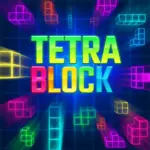




Play Tetra Block - Ultimate Puzzle Challenge online for free, an addictive brain-teaser that tests your speed and strategy! Can you stack the falling shapes perfectly before they reach the top? With colorful graphics and smooth animations, this game brings a fresh neon look to the classic block-stacking genre that everyone loves. It is super easy to learn but hard to master, making it perfect for quick breaks or long gaming sessions.
Whether you're playing on a phone, tablet, or computer, Tetra Block - Ultimate Puzzle Challenge is packed with retro fun and modern excitement. You will need quick reflexes to rotate and fit the pieces together to clear lines and score big points. As you level up, the blocks fall faster, turning a relaxing puzzle into a thrilling race against time.
Ready for the adventure? Can you beat the high score and become the ultimate block master?
Discover More About Tetra Block
Tetra Block is an exciting arcade puzzle game that reimagines the legendary Tetris gameplay with vibrant visuals and catchy tunes. Initially released in November 2018, it quickly became popular among players and earned a reputation as one of the best HTML5 puzzle games available on the web.
Created by the talented team at Ravalmatic, who is known for producing high-quality casual games like Foot Chinko and Battleships Armada, Tetra Block offers a seamless experience on desktops, tablets, and mobile phones. It is crafted with a "mobile-first" design philosophy to ensure players have a great time wherever they play, with responsive touch controls and crisp graphics.
With its glowing neon aesthetic and satisfying sound effects, Tetra Block continues to be a favorite among fans of logic puzzles and retro arcade action, cementing its place as one of the top block-stacking games online!
Explore Tetra Block Gameplay
| Gameplay Overview | Tetra Block is progressively challenging! The game starts with a slow pace, allowing you to get used to the shapes. As you progress, the speed at which blocks fall increases significantly. Your main goal is to prevent the blocks from reaching the top of the screen, requiring key skills like spatial awareness, quick reflexes, and forward planning. |
|---|---|
| Progression and Features | The game offers a level-based progression system that increases in difficulty over time. It includes special features like glowing "Star" blocks—if you clear a line containing a star, you get bonus points and flashy visual effects, setting it apart from standard monochrome puzzle games. |
| Gameplay Mechanics | Players manipulate falling "Tetrominoes" (shapes made of four blocks). Players can rotate and move these shapes to form solid horizontal lines. When a line is formed, it disappears, and you collect points. Unlocking higher scores involves clearing multiple lines at once (a "Tetra"), with improvements affecting gameplay by clearing space on the board to keep surviving. |
| Advanced Gameplay | As you advance, you’ll encounter faster speeds that leave less room for error. Your skills will directly impact your success, as maintaining a clean, low board allows you to handle the increasing speed without panicking and losing the game. |
Available on All Devices
| Platforms | You can play this game directly in your web browser, whether you're using a desktop, laptop, tablet, or mobile device. |
|---|
Mastering Tetra Block: A Guide
In Tetra Block, your primary goal is to score as many points as possible by clearing horizontal lines of blocks. As you advance, you’ll face challenges like awkward block shapes and increasing speed that forces you to think instantly. To succeed, you need to keep your stack flat and avoid creating deep holes that are hard to fill.
As you progress, the difficulty increases, offering faster drops that test your reaction time. Along the way, you'll find special star blocks inside the shapes, which will help boost your performance by multiplying your score when cleared. However, be mindful of the failure conditions—if you let the stack of blocks touch the top of the grid, you’ll have to restart from the beginning of the game.
The game’s ultimate goal is to achieve the highest score possible on the leaderboard. Throughout your journey, you'll unlock the satisfaction of beating your personal bests, keeping you motivated to keep playing and achieve higher scores.
Controls
Tetra Block uses simple and intuitive inputs. Here's how you control the falling shapes:
| Platform | Controls |
|---|---|
| On Computer: |
|
| On Mobile: |
|
These controls are designed to be responsive, making it easy to learn the basics while you focus on your strategy.
Helpful Tips and Strategies for Tetra Block
Want to hit a new high score in Tetra Block? These simple and helpful tips will improve your puzzle-solving skills and help you unlock cool rewards:
| Tip Category | Actionable Advice |
|---|---|
| Keep it Flat | Try to keep the top of your block pile as flat as possible. Bumpy surfaces make it harder to place new pieces. |
| Save the "I" Piece | Leave a one-block wide vertical gap open for the long straight bar (the "I" piece) to clear four lines at once. |
| Look Ahead | Watch the "Next Piece" preview on the side of the screen so you can plan your current move with the next one in mind. |
| Don't Panic | When the music speeds up, stay calm. Rushing leads to mistakes. Focus on clearing single lines to lower the stack safely. |
| Rotate Early | Rotate your piece as soon as it appears. Rotating at the last second can sometimes get the block stuck in a spot you didn't want. |
| Target Stars | Prioritize clearing lines that contain blocks with Stars on them. These give you massive bonus points! |
| Avoid Holes | Never create a gap that is covered by another block. These "holes" are very difficult to fix later. |
| Use Soft Drop | Use the down arrow to drop blocks faster when you are sure of their position. This saves time and keeps the rhythm going. |
Follow these tips and you'll be dominating the leaderboard in no time!
Features of Tetra Block
Tetra Block is a modern twist on a classic designed for players of all ages. Below are the top features that make this game so enjoyable and addictive:
- Neon Graphics: Enjoy a vibrant, glowing art style that makes every move look cool and exciting.
- Classic Mechanics: Experience the beloved gameplay of fitting geometric shapes together, perfected for modern browsers.
- One-Touch Controls: Simple tap or keyboard controls make it accessible for kids and adults alike.
- Endless Gameplay: There is no final level; the game continues as long as you can keep the stack from reaching the top.
- High Score Tracking: The game remembers your best performance, challenging you to beat your own record every time.
- Star Bonuses: Special blocks with stars offer extra points, adding a layer of strategy to your placement.
- Responsive Design: Plays perfectly on vertical mobile screens or horizontal desktop monitors without glitches.
- Brain Training: Helps improve spatial recognition, planning skills, and reaction times in a fun environment.
These features make Tetra Block a perfect game for anyone who loves arcade puzzles and mental challenges!
Game Details
| Developer | Ravalmatic |
|---|---|
| Release Date | November 2018 |
| Genre | Puzzle / Arcade |
| Platform | Browser (HTML5), Mobile, Tablet |
| Mode | Single Player |
Play Tetra Block Online
Tetra Block online offers a special version of the beloved block puzzle genre that you can enjoy directly on our website. This version has been optimized for seamless play, so you don’t need to download or install anything to get started!
Start playing Tetra Block with just one click! It’s compatible with all major web browsers, including Google Chrome, Mozilla Firefox, Microsoft Edge, Safari, and Opera. Whether you’re on a computer, tablet, or smartphone, the game adjusts perfectly to your device for a smooth experience.
This online version of Tetra Block has been specially designed to deliver the best gameplay without compromising on performance or safety. All the excitement of the original game is preserved, ensuring a fast, secure, and enjoyable experience across all browsers.
Play Tetra Block for Free
Tetra Block for free is available to play right here on our website, offering an exciting modified version of the original game. You can dive into the action without any cost—no downloads or hidden charges, and there are absolutely no in-game purchases required.
Everything in Tetra Block, from the endless levels to the high-score tracking, is fully accessible without paying a dime. Whether you're a kid or an adult, you can enjoy endless fun without spending a single coin!
What's more, every game on our site is 100% free to play. We’re committed to providing a gaming experience that’s free of limits or costs. Just pick a game and start playing instantly, no strings attached!
Can You Play Tetra Block Unblocked?
Yes! You can play Tetra Block unblocked for free anytime on Unblocked Games. Our platform ensures that whether you are at school, in class, or at work, the game remains accessible without filters or restrictions.
Many players search for Tetra Block unblocked 76 or 6x because these platforms are known for bypassing network blocks. This version of the game is powered by HTML5, meaning it requires no Flash and no download to run smoothly in any modern browser on PC, Chromebook, or mobile devices.
Where to Play Tetra Block Unblocked?
If you are looking for the best mirrors to enjoy Tetra Block without restrictions, these top-rated repositories are excellent choices:
- Unblocked Games 76: A premier source for high-quality titles like Tetra Block, known for its clean interface and fast loading times.
- Unblocked Games 6x: Perfect for classroom gaming, offering Tetra Block unblocked with a focus on safe, logic-based fun.
- Unblocked Games 66 & 67: These "EZ" sites provide no-download versions of Tetra Block, ideal for quick gaming sessions during breaks.
- Unblocked Games G+ & 77: Great alternatives if other mirrors are blocked by your school's administrator, featuring a robust collection of puzzle and arcade titles.
How to Play at School:
- Navigate to unblockedgames.pl.
- Search for Tetra Block in the search bar.
- Click "Play Now" to launch the HTML5 unblocked version.
- Enjoy stacking blocks without worrying about firewall blocks!
Tetra Block GitHub
Many players search for Tetra Block GitHub versions to bypass blocks that prevent them from playing the game at school or work. While GitHub might offer some alternatives, it's often complicated and not always reliable.
But with our website unblocked Games , you don't need to search for GitHub versions anymore. Our version of Tetra Block runs smoothly on all devices and networks. Whether you're in the classroom, office, or on a break — enjoy the full game online with no restrictions, no downloads, and completely for free!
Tetra Block Download
Many fans of Tetra Block love to download the game to their own devices for a better playing experience than just playing on the browser. Here's how you can do it:
- If your device runs on Android, just go to the Google Play Store and tap the install button to download the game.
- If you use Apple devices like iPhone or iPad, head to the Apple App Store and press the install button to get the game.
APK Tetra Block
If you use an Android device but can't find the game in the Google Play Store, don't worry! You can search for the Tetra Block APK file online and download it directly to your device. This way, you can install the game without using Google Play.
Also, if you love playing on your computer, you can download Tetra Block for free from the Steam store. This lets you enjoy the game with better controls and graphics.
Tetra Block Extension
Many fans of Tetra Block prefer to play the game directly on their browser using a Google Chrome extension. This lets them start playing instantly without having to visit the website every time. Plus, some extensions allow you to play offline whenever you want. To download the Tetra Block extension, click here.
Similar Games to Tetra Block
- Tap Road
- Stickman Slash
- Head Soccer 2024
- Bounce Up
- Sudoku
- Mini Crossword
- Moto Racer
- Super Tic Tac Toe
- Get 10
- Dots and Boxes
- Pirates Match 3
- Poptris
- Love Tester
- Dunk Frenzy
- Tetra Block
- Shovel Pirates
- Sprunki Phase 9
- Magikmon
- Tunnel Rush 2
- Eagle Ride
- Burnin Rubber 5 XS
Find More Games by Category
How do I rotate the blocks?
You can rotate blocks by pressing the Up Arrow key on your keyboard or simply tapping the screen if you are on a mobile device.
What happens if the blocks reach the top?
If your stack of blocks grows too high and touches the top of the grid, it is Game Over and you must restart.
How do I score points?
You score points by filling a horizontal row completely with blocks; the line will disappear and add to your score.
Does the game have an ending?
No, Tetra Block is an endless game where the goal is to survive as long as possible and get the highest score.
Why do some blocks have stars?
Blocks with stars are special bonus items that grant you extra points when they are included in a cleared line.
Can I see the next block coming?
Yes, there is a preview window on the side of the screen that shows you which shape will fall next.
Is Tetra Block hard for beginners?
Not at all! The game starts slowly so you can learn the controls, but it speeds up as you play longer.
Can I play this game on an iPad?
Yes, the game works perfectly on iPads and other tablets directly through the web browser without any installation.
Is there a multiplayer mode?
Currently, Tetra Block is a single-player experience focused on beating your own high score.
Can I hold or save a piece for later?
Unlike some modern Tetris games, this version generally does not have a "Hold" mechanic, so you must place pieces as they come.
Does the music change?
The game features a catchy electronic soundtrack that loops, keeping the energy high while you solve puzzles.
What is a "Tetra"?
A "Tetra" is when you clear four lines at once using the long straight "I" block, usually resulting in a huge score boost.
Does the game require Flash?
No, Tetra Block is built with HTML5 technology, so it runs on all modern browsers without needing Flash.
How do I pause the game?
Usually, clicking outside the game window or pressing a dedicated pause button on the screen will pause the action.
Are there different levels?
While there are no distinct "stages," the game level increases automatically as you clear lines, making the blocks fall faster.
Frequently Asked Questions (FAQ) About Tetra Block
-
What is Tetra Block?
Tetra Block is a puzzle game where you need to arrange falling geometric shapes to create solid lines and clear the board. -
How do I play Tetra Block?
Use the arrow keys or touch controls to move and rotate the falling blocks to fit them into the gaps below. -
Is the game free?
Yes, Tetra Block is free and accessible directly in the browser. -
On which platforms can I play?
The game is available on Desktop (PC/Mac), Android, iOS, and Tablets via web browser. -
Do I need an account to play?
No, you can start immediately without an account. -
Is the game suitable for children?
Yes, Tetra Block is designed for all ages and features age‑friendly graphics. -
Are there difficulty levels?
Yes, the game gets harder as you progress through levels by increasing the speed of the falling blocks. -
How do I progress to the next level?
You need to clear a specific number of lines to increase your level and score. -
Can I replay a level?
The game is endless, so if you lose, you simply restart from the beginning to try and beat your score. -
Is the game multiplayer?
No, Tetra Block is a solo game. There is no multiplayer mode included. -
Are there any tips for success?
Try to keep your stack flat and save the long bar pieces for when you can clear four lines at once. -
How can I improve my skills in the game?
Practice regularly, learn the patterns of each level, and use the preview window to plan your next move. -
What do I do if the game is lagging or crashing?
Try clearing your browser cache, updating your browser, or playing on a different device with a stable internet connection. -
Can I play without an internet connection?
No, this game requires an internet connection to be played directly in the browser. -
How do I earn rewards or bonuses?
You can earn bonus points by clearing lines that contain special Star blocks. -
What happens when I lose?
If the blocks reach the top of the screen, the game ends, and you will see your final score. -
How often does the game get updated?
The game receives regular updates with new content, bug fixes, and performance improvements. Check the game website for details on upcoming updates. -
Can I customize the blocks?
The game has a standard neon theme, and currently, there are no options to change the block skins. -
How do I unlock new levels or stages?
Progression is automatic based on your score; there are no separate stages to unlock manually. -
Is there any way to save my progress?
Yes, your high score is automatically saved through your browser’s local storage.
What are the controls for mobile?
On mobile, you swipe left or right to move the block, tap to rotate it, and swipe down to drop it.
Can I play Tetra Block offline?
Generally no, the browser version requires an active internet connection to load the game assets.
Is Tetra Block the same as Tetris?
It is very similar to Tetris in gameplay mechanics but features different graphics, music, and specific bonus rules like Star blocks.
How do I turn off the sound?
There is usually a speaker icon on the game screen that you can click to mute the music and sound effects.
Does this game work on Chromebooks?
Yes, Tetra Block is lightweight and works perfectly on school Chromebooks without any installation.
What is the highest possible score?
There is no fixed limit! Players compete to see how high they can get their score before the speed becomes too fast.
Why did the game speed up?
The game speeds up as you clear more lines to increase the difficulty and challenge your reflexes.
Are there cheat codes for Tetra Block?
No, there are no cheat codes. You have to rely on your puzzle-solving skills to get a high score!
Can I play with a controller?
Most browser versions are designed for keyboard or touch, but some third-party tools might allow controller mapping.
Is there a time limit?
There is no timer counting down, but the falling blocks act as a time pressure since you must place them before they land.
What happens if I misplace a block?
If you make a mistake, you have to try and clear the lines above or around the gap to fix the hole.
Does the game save my high score?
Yes, as long as you don't clear your browser cookies, your high score should be saved locally.
Can I play full screen?
Yes, many game portals offer a full-screen button so you can immerse yourself completely in the game.
Who made Tetra Block?
The HTML5 version is developed by Ravalmatic, a well-known studio for casual web games.
Is it safe for kids?
Absolutely, it is a non-violent, family-friendly puzzle game suitable for all age groups.
Conclusion
Tetra Block is a fantastic way to sharpen your mind while having a blast with retro-style arcade action. It offers the perfect mix of strategy and speed, helping players develop better reaction times and logical thinking skills. With its simple controls and colorful design, it’s a game that anyone can pick up and enjoy instantly.
Best of all, you can play it on any device completely for free! Whether you are a student looking for a fun break or just someone who loves high-score challenges, Tetra Block delivers endless entertainment without costing a penny. There are no downloads to wait for, so you can jump right into the fun.
So, what are you waiting for? Start stacking those blocks, clear those lines, and see if you have what it takes to become the Tetra Block champion! Don't forget to share your high score with your friends and challenge them to beat it!